



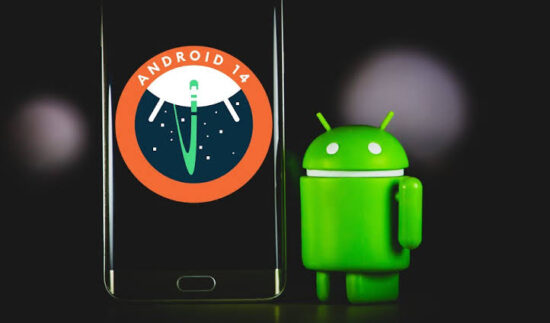
Google plans to officially introduce the newest version of Android later in the year. The most recent version of the powerful and effective Android technology will be Android 14.
Although a developer preview has been released, it is still in its testing phase and will be publicly released soon.
Here are some features to expect in Android 14 when it is released:
System Icon
The Android 14 has a brand new look with a redesigned system icon. The icon is available in various locations, including system connection pop-ups.
Optimized Battery
Android 14 is built to help reduce the amount of power a system takes from unneeded processors and apps. Apps like clocks and calendars that don’t require a fixed timing schedule will be stopped from exploring battery resources. Additionally, users can turn off or turn on “Battery low” remainders on Android 14.
The battery saver now has two types of battery-saving options:
- Basic Battery Saver
- Extreme Battery Saver
You can also schedule battery savers based on a percentage.
Security and Privacy
In the Security and privacy option, drop-down menus will be replaced with individual pages for each category. This means that every section has a unique page view that includes a header and images to symbolize what the page is about. There are also more security privacy settings options to protect users’ data from unauthorized access.
Cloned Apps
Google is testing a new clone app feature for Android 14. This new feature will help users with different accounts on the same platform (for example users with two Instagram accounts) login into these apps simultaneously.
Integrating Health Connect
Health Connect is an app developed by Google to help users sync their fitness data from different apps. If you want to access it, all you need to do is:
- Go to Settings
- Click on “Security and privacy.”
- Scroll down to “privacy” and click on it.
- There you will find “Health Connect.”
With health connect, users can now view their health reports, see what apps use data, and even block apps.
Media Update
There have been some media changes in Android 14; when users interact with the media, there is a wave glow animated effect that uses a complementary colour of the album or song cover. There is also a media output switcher that shows all available speakers and connected devices.
Better Navigation and Accessibility
There are a lot of changes in Android 14 to increase user interaction and accessibility. For example, there is a new predictive back gesture that will give you a glimpse of where you are going so you don’t accidentally exit an app.
Also, users can now scale the font size up to 200%, which is of great advantage to the elderly and individuals with vision impairments. This will go in line with Google’s statement that “Android supports font scaling up to 200%, providing low-vision users with additional accessibility options that align with the Web Content Accessibility Guidelines (WCAG).”
It is advisable to note that some of these features may not be added or updated during the public launch, as Google is still testing their efficiency. Which features will you want to see in the official Android 14 when it is launched?
Join the conversation; follow us on Facebook, Instagram, and Twitter at GoSpeedHub.
Photo by Crast